Appearance
Case reports
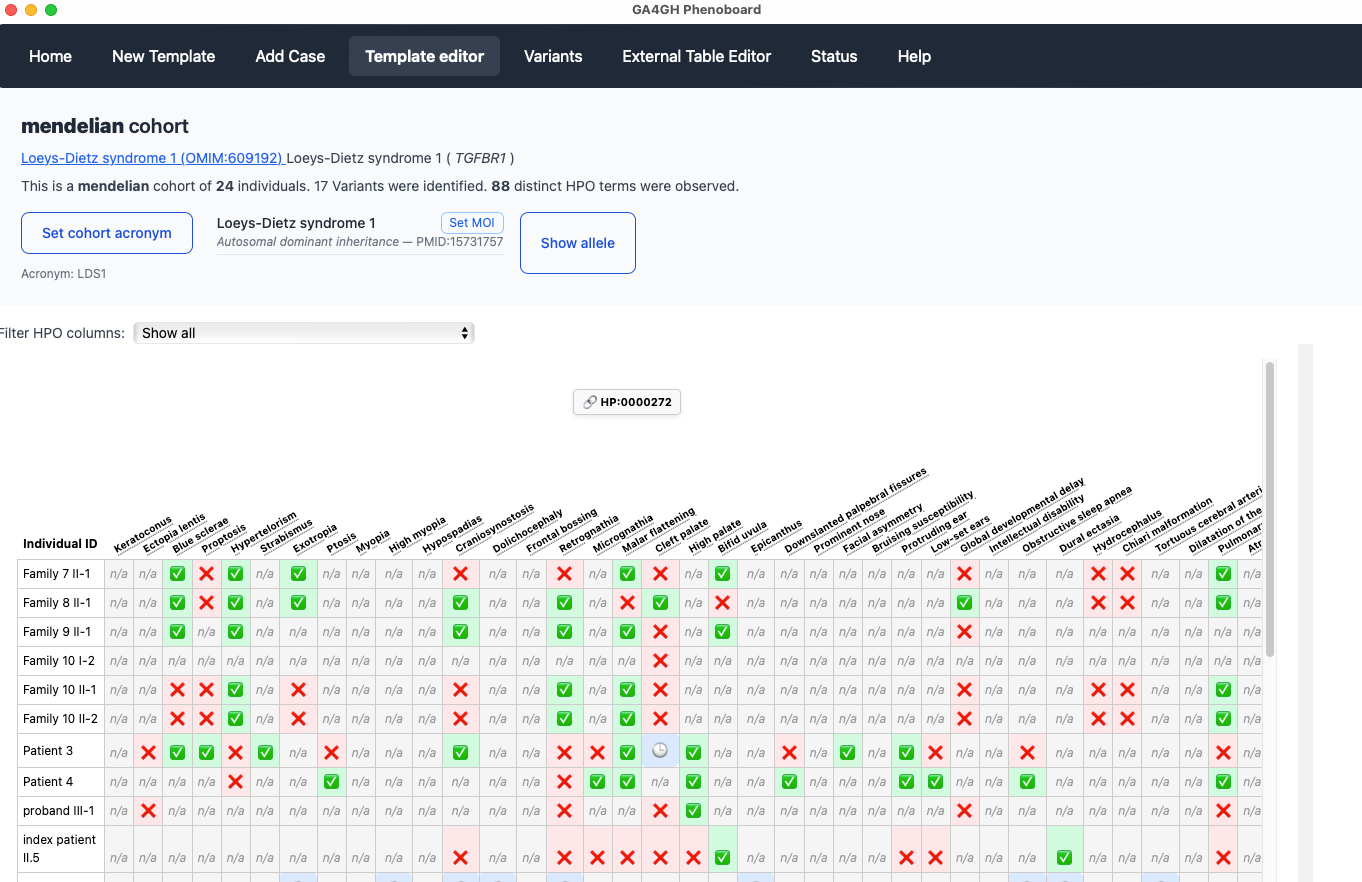
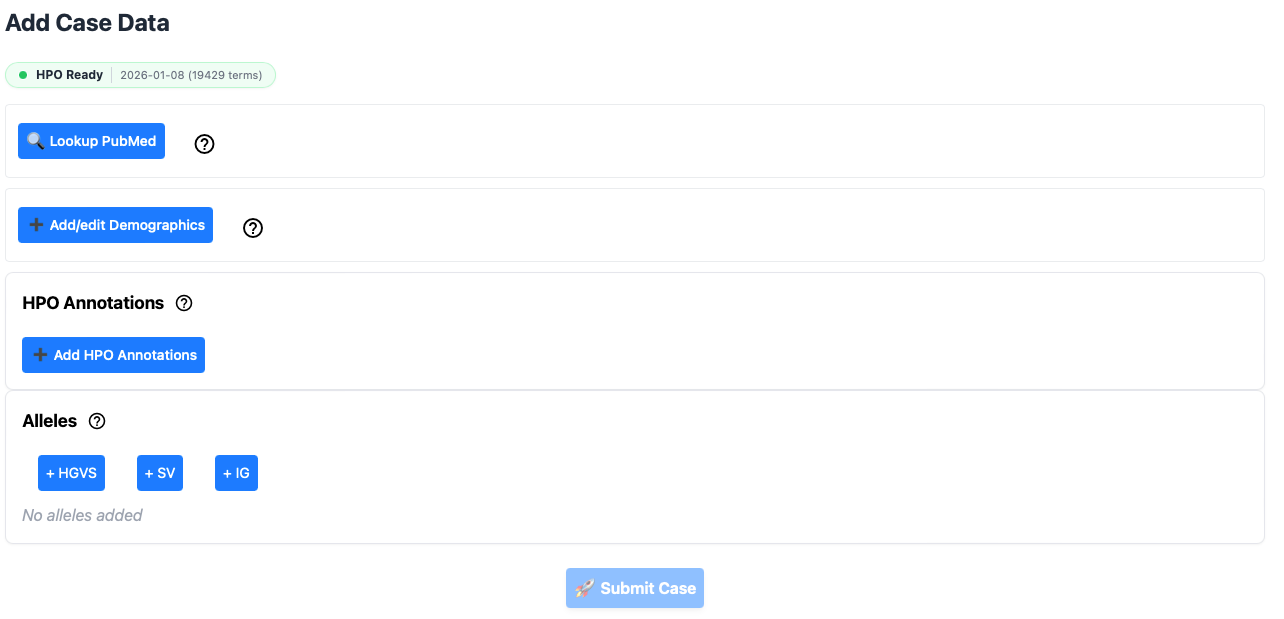
Phenoboard allows individual case reports to be curated using text mining. This functionality is useful for publications with narrative descriptions of a case. In this example, we will curate an individual with Loeys-Dietz syndrome type 1 from PMID: 35003478. First, make sure that information about a cohort has been loaded by either using the new cohort page or by loading an existing cohort JSON file. Then go to the Add Case page.
Lookup PubMed
Phenoboard is currently setup to curate published literature with a PubMed identifier (contact us if you would like to use the app for in house cohorts). The user will first need to enter a PMID, either as PMID: 35003478or with just the number (35003478). The app will reach out to PubMed and retrieve the title, which is also stored.
The app will warn users if it is attempted to enter a previously used PMID (perhaps because the same article is being mistakenly entered a second time). If you are entering multiple individuals from the same article, the warning can be ignored.
Add and Edit Age entries
Enter the age entries needed to curate the case. See GA4GH Phenopackets: A Practical Introduction and the Phenopacket Schema documentation for information about how to represent ages. In brief, one case use one of three options:
- HPO Onset terms, e.g., "Congenital onset"
- ISO 8601 Periods, e.g., P3Y4M2D for 3 years, 4 months, and 2 days
- Gestational age, which we represent, for instance, as G32w4d for 32 weeks and 4 days.
Add/Edit Demographics
Enter the identifier of the patient as used within the publication (it must be unique within the publication is multiple individuals are curated), as well as the age of onset, age when the individual was last medically examined, the sex, deceased status, and if desired an optional comment. Only the individual identifier is required (in our example, the onset and the last encounter age are both 14 years, P14Y, and the affected individual is a boy who is not deceased; we entered the individual ID as Case reportbecause that is the title used for the clinical description. It would also be acceptable to use 14 year old malebecause the individual is described in this way by the authors).
Add HPO annotations
This widget performs text mining on text that is pasted into the window.
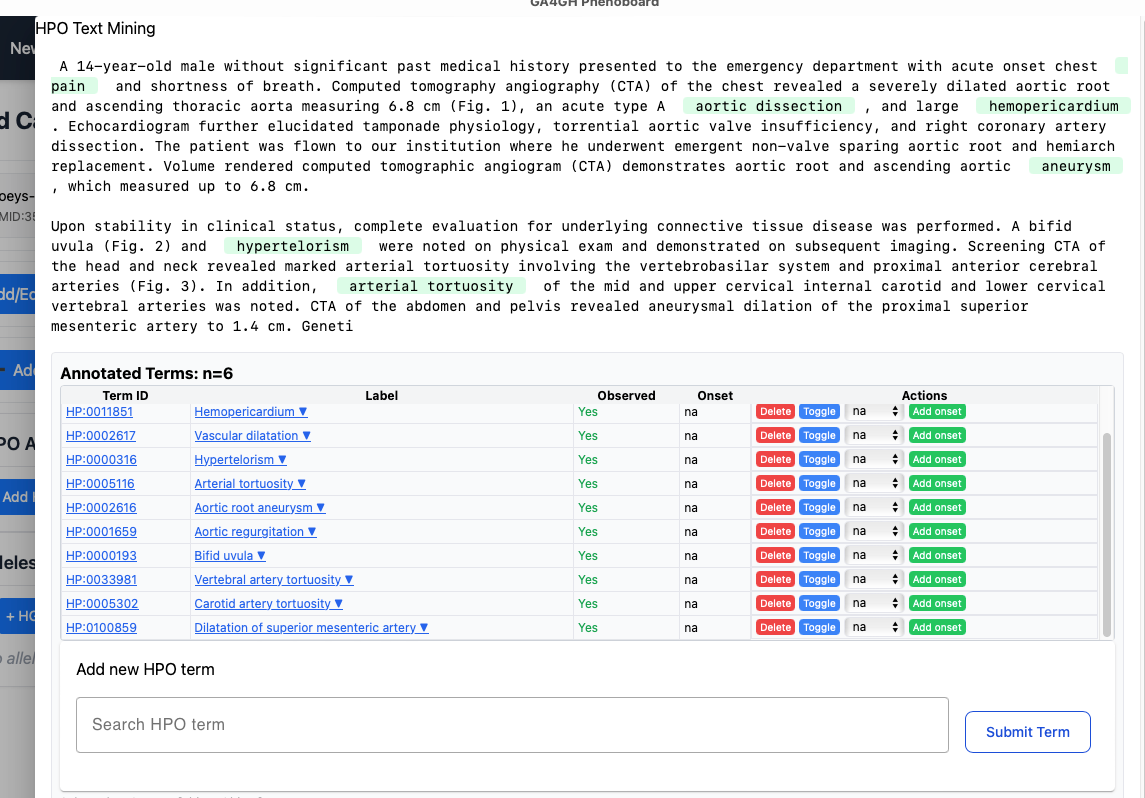
When you are finished adjusting the text mining results, click "Finish".
Alleles
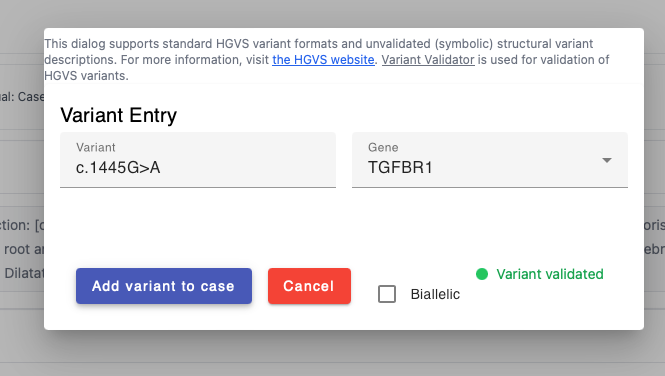
You can add HGVS (small variants) or SV (structural variants) using the provided widgets. Make sure the HGVS notation is based on the transcript of reference. If a variant is noted in the publication to be homozygous, click the "biallelic" checkbox.
Submit case
When all of the above information has been added, the case can be added to the cohort with the Submit case button. You will be taken to the cohort editor screen.