Appearance
Start page
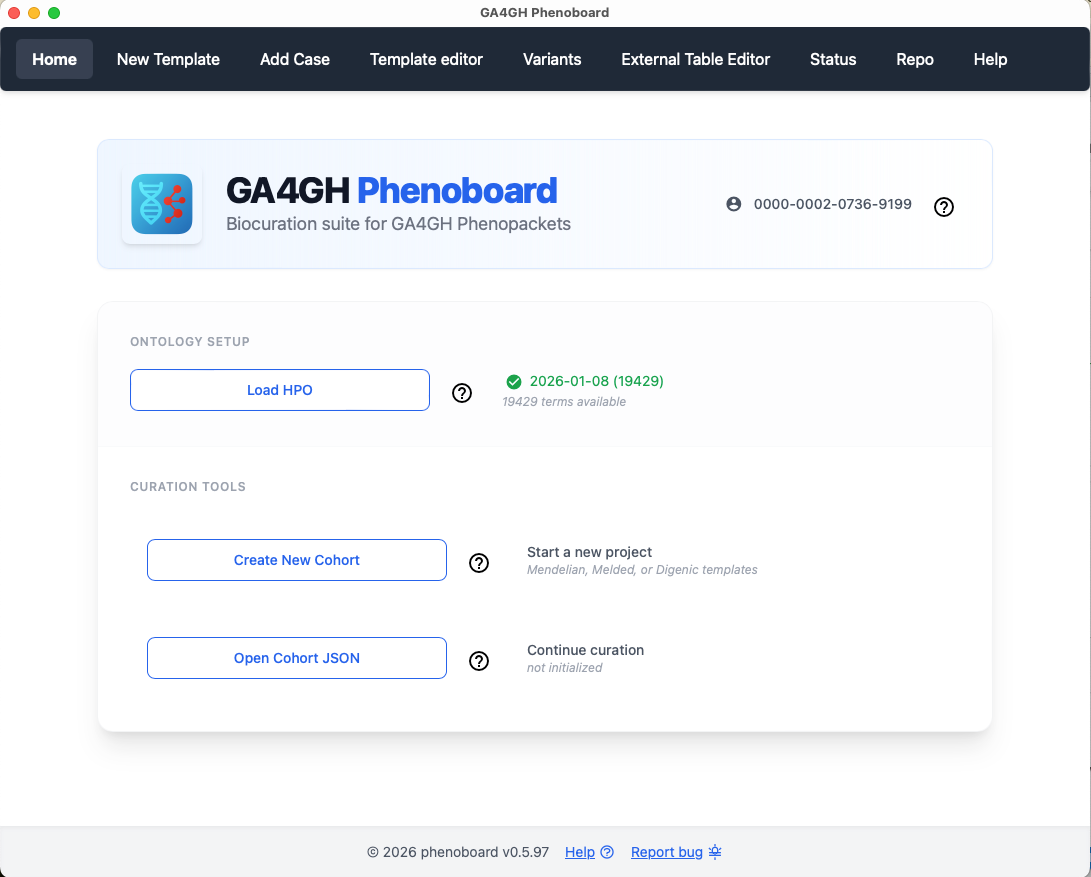
ORCID
Before using Phenoboard for the first time, the user needs to enter an ORCID research indentifier. Enter just the number (e.g., enter 0000-0002-0736-9199 and not https://orcid.org/0000-0002-0736-9199). Phenoboard stores the ORCID in its settings directory (which is automatically created as a hidden directory in the user's home directory upon the first use of the app). From this point on, the ORCID will be automatically loaded upon program start.
Load the HPO
Before curation, the user needs to load the hp.json file. We recommend always using the latest version, which can be found in the Download section of the HPO website. The path to this file is always stored in the settings directory, and the ontology will be loaded automatically upon program start. Users should check if an update is available and if so, download the new hp.json file and load it in Phenoboard.
Create a Phenoboard cohort file
This option creates a new Phenoboard cohort (JSON) file.
Select Phenoboard cohort file
This option selects a Phenoboard JSON file that is used to store data about a cohort and which Phenoboard uses to create a collection of phenopackets representing the cohort. TOO